Upkeep and reset is a narrow desk question, not a generic tidy-up task. A periodic review for contact pads, adhesive clips, cable slack, and changing desk conditions. The useful evidence comes from the actual materials, movements, and equipment at the intended location, because a holder that looks plausible in a product image may meet a completely different desk interface in use.
The upkeep note is intended to be used after ordinary desk changes rather than on a calendar just for its own sake. A new computer, chair, drawer unit, or cable can change the interface that made the original route sensible. Looking at pads, clips, slack, and moving paths after such a change keeps maintenance connected to a specific reason. It avoids treating a stable desk system as a project that always needs another adjustment.
Inspect contact pads before adjusting
The small pads between clamp and desk do quiet work. Look for dust, hard grit, curling, cracks, or a pad that has shifted off the contact face. A clean, intact pad supports an even interface; it is not a license to tighten a clamp on an unsuitable surface.
Remove the headset before inspection so the holder is not carrying an extra load while you look at it. If a pad is damaged or missing, use the manufacturer’s support route or documented replacement guidance rather than substituting a random material that changes clamp geometry.
Pad condition is a small but visible clue about whether the original clamp interface still exists. For this guide, inspect contact pads before adjusting is the immediate checkpoint; record the observed condition and its next question before moving to another desk decision.
Look for changes in the desk itself
Desks evolve. A cable tray appears, a drawer unit moves, a monitor arm is added, or the workstation is relocated. Each change can alter the clearance that made a holder sensible in the first place. Review the surrounding paths after a furniture or equipment move.
Pay attention to new underside hardware and desk-edge accessories. A clamp that once met flat surfaces may now press near a rail or a removable tray. The right response is to re-audit the gripping zone, not to keep the old position because it worked before.
A moved desk, tray, or monitor arm can change a previously sound edge location overnight. For this guide, look for changes in the desk itself is the immediate checkpoint; record the observed condition and its next question before moving to another desk decision.
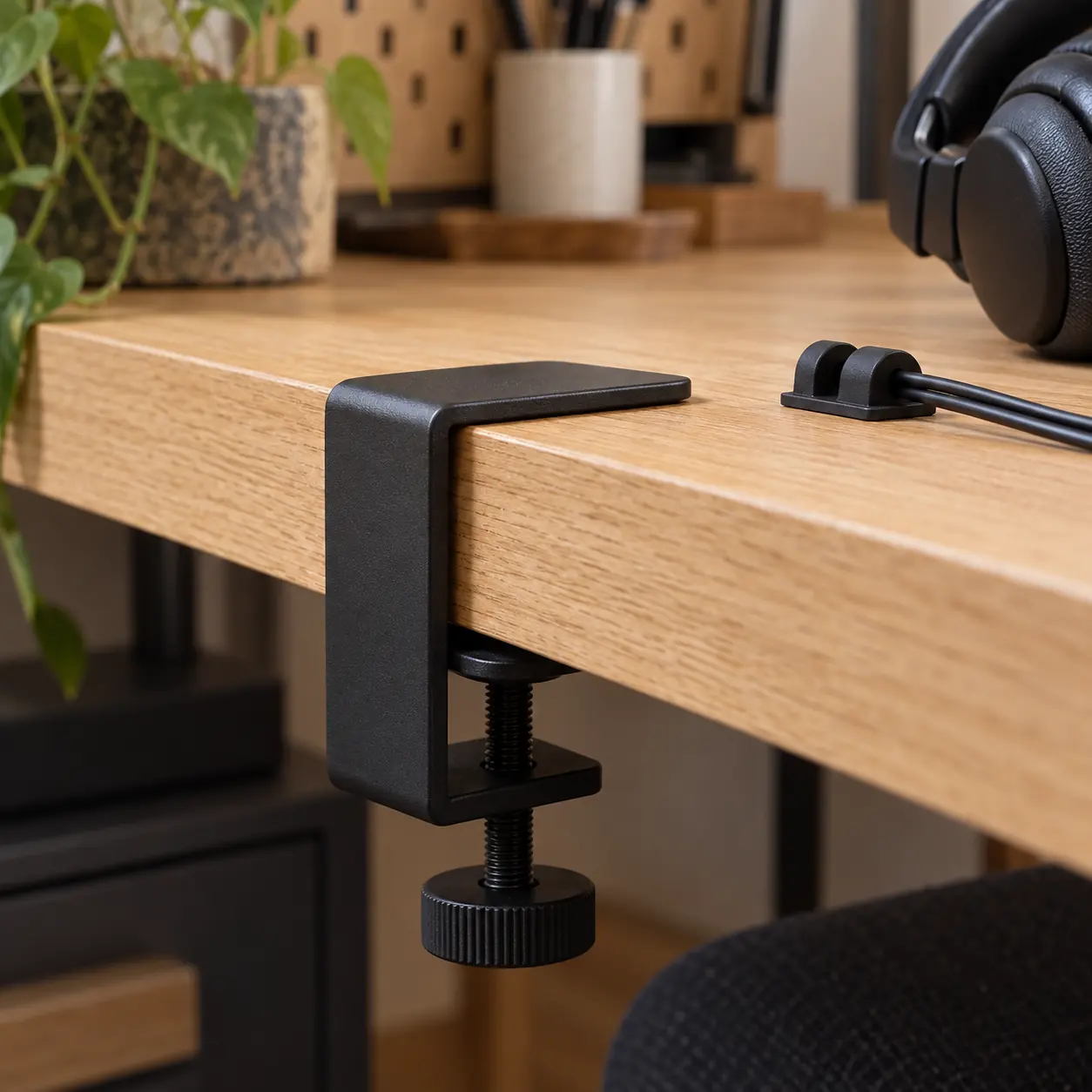
Check clip adhesion and alignment
Cable clips should be checked for lift at the edges, drift along the route, and changes in cable direction. A clip that is beginning to release can create a sudden hanging loop in a chair or drawer path. Observe the route with the desk in its ordinary working position.
Do not press repeatedly on an adhesive clip merely to prove it is attached. If it has lifted, follow its manufacturer’s removal and replacement instructions, clean the surface as directed, and reconsider whether the cable is pulling sideways. Adhesion problems often reveal route problems.
Clip lift often indicates a route force or surface issue rather than a reason to press harder. For this guide, check clip adhesion and alignment is the immediate checkpoint; record the observed condition and its next question before moving to another desk decision.
Refresh slack with the actual device
A cable route can change when a different headset, adapter, dock, or computer port is used. Reconnect the actual equipment and confirm that the cable has a small controlled service loop, a clear drop, and a free connector. The goal is not invisible cable; it is a route that can move without a surprise tug.
Test the normal pickup and return once after a change. If the lead brushes a knee path or becomes taut at the hook, revise the route before the next work session. A reset should restore a known path, not simply make a cable look neater from the front.
The actual device and connector are needed to judge whether a service loop still has enough slack. For this guide, refresh slack with the actual device is the immediate checkpoint; record the observed condition and its next question before moving to another desk decision.
Use a small issue log
A maintenance note can be brief: date, observed component, what changed, and whether a manufacturer or owner needs to review it. “Clip near left drawer lifted” is more useful than a broad complaint about cable management, because it preserves the location and symptom.
Keep the log about equipment, not people. There is no need to track who used a desk or speculate about why a cable moved. A factual note makes it easier to decide whether the issue is a cleaning task, a route revision, a product-support question, or a reason to stop using a damaged accessory.
A concise issue log turns a vague maintenance concern into a reviewable hardware observation. For this guide, use a small issue log is the immediate checkpoint; record the observed condition and its next question before moving to another desk decision.
Know when to stop the reset
Stop using a holder or clip arrangement if the clamp body is cracked, the hook is bent, the desk surface is visibly damaged, an adhesive element fails into a moving path, or a cable shows exposed conductors. Seek appropriate product, facilities, or electrical support instead of improvising a repair.
The best upkeep routine is modest: inspect, clean as instructed, observe movement, record a specific issue, and reset only when the hardware remains suitable. It does not turn a desk accessory into a permanent fixture or a consumer checklist into a repair manual.
Damage and electrical concerns define the point where routine inspection should stop. For this guide, know when to stop the reset is the immediate checkpoint; record the observed condition and its next question before moving to another desk decision.
What this check carries forward
Periodic upkeep is different from endlessly optimizing a desk. The review can be brief: look at the pads, cable clips, slack, desk edge, and moving paths after a real change or after a stretch of normal use. Each item answers a specific question about the interface. If nothing has shifted, the best maintenance action is often no action. A stable setup should not be disturbed merely to make it feel actively managed.
A reset is most useful when it preserves the reason behind the original route. If the cable was kept away from a drawer, confirm that the drawer still travels freely. If the holder was placed on a flat edge, confirm that new hardware has not claimed the underside. If the headset needed a service loop, reconnect the actual device and make sure that loop still exists. These observations are more durable than a generic instruction to keep the desk tidy.
Do not convert a small desk inspection into a repair program. Cracked hardware, missing contact material, exposed cable conductors, electrical concerns, and visible surface damage are reasons to stop and use the appropriate support channel. A good field note names the point where a reader should stop improvising. The aim is a clear, maintainable desk system, not an invitation to treat consumer accessories as self-service hardware projects.
The best reset leaves the desk easier to understand than before the check. Hardware that remains sound is left alone; a route that has changed is redrawn; an unsafe or damaged part is placed on the appropriate support path. This modest habit preserves the boundary between routine observation and repair. It keeps cable management from becoming an endless aesthetic project and keeps the chosen holder connected to the desk conditions that originally made it fit.
Maintenance notes are most valuable when they identify what changed since the last sound arrangement. Compare pad contact, clip position, slack, and nearby furniture with the earlier route rather than trying to make every component look newly adjusted. A compact note can say that a new dock shortened the device end, a tray now blocks the clamp, or an adhesive edge has lifted. Those are specific reasons to revise or stop using part of the system. By retaining the reason as well as the action, the reset remains a desk observation: it supports a safe, legible arrangement without turning ordinary care into repair guidance.
Use the next note, not a bigger claim
A reset that identifies a changed pad, clip, drawer, or connector can now return to the relevant field note. Use the edge audit for altered contact, the pressure note for a shifted clamp body, the route map for slack, and the clearance guide for a new collision. This keeps maintenance specific.
Return to the main Deskline Register field report for the complete comparison sequence. The supporting notes are designed as separate checks so an observed problem can be traced to its actual interface instead of being answered with another generic adjustment.